New sign ups can get 1 free month of service


November 9, 2026
It's lunchtime on a Tuesday. Your front desk is on a break, two team members are working from home and a new customer is calling for the third time. The phone rings out, so they hang up and call the next business on their list.
That scenario plays out every day in offices still tied to an old desk phone setup. A cloud based business phone system fixes it by moving your calls, voicemail and routing online, so your team can answer from anywhere and nothing slips through the cracks.
The tricky part is picking the right one. This guide covers how cloud phone systems work, the features that matter, the questions to ask a provider and how to choose a setup that fits your business today and as you grow.


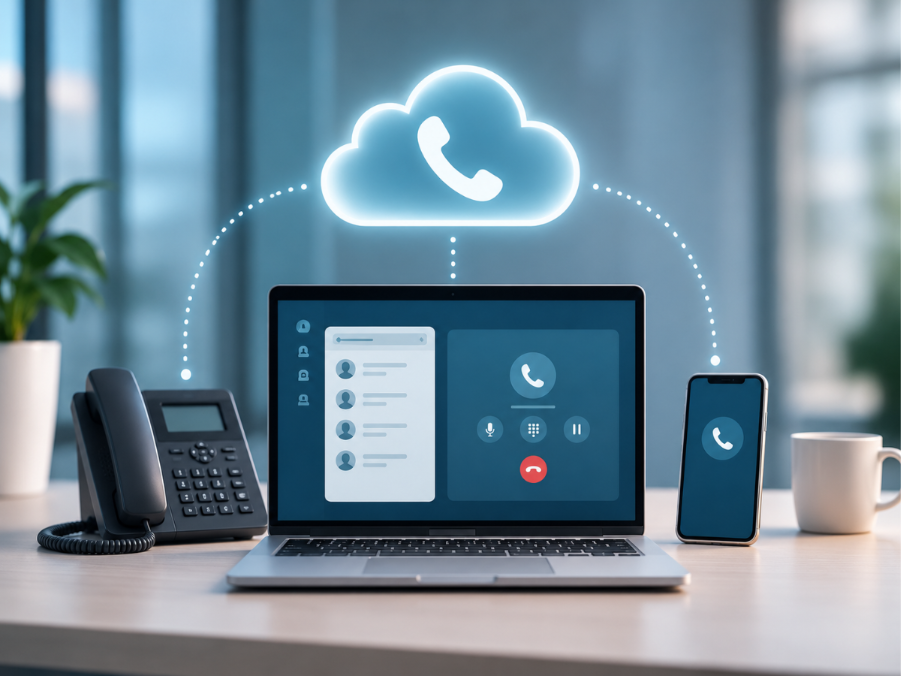
A cloud based business phone system is a phone service that runs over the internet instead of through copper lines and a box of equipment in your back office. Your provider hosts everything in secure data centers, and your team makes and takes calls on desk phones, computers or smartphones.
Two terms come up a lot. VoIP (Voice over Internet Protocol) simply means turning your voice into data and sending it over the internet. A PBX (private branch exchange) is the system that routes calls inside a business, handling extensions, transfers and hold queues.
With a cloud PBX, that routing system lives online rather than in a server closet. You manage users, call flows and voicemail from a web portal, and updates happen automatically. No technician visits and no hardware to replace every few years.
Traditional phone systems were built for a world where everyone sat at the same desk five days a week. That world has changed, and the way your business takes calls needs to keep up.
Hybrid and remote work are now part of normal business life. A Pew Research Center survey found that 75% of US workers whose jobs can be done from home work remotely at least some of the time. With a cloud business phone system, your business number follows each employee to their laptop or mobile app, so customers reach the right person wherever they are.
Adding a new hire to an old system often means new wiring and a service call. In the cloud, you add a user in minutes and remove one just as fast. That makes it simple to grow from one location to several, or to staff up for a busy season and scale back when it ends.
Most cloud providers charge a monthly fee per user. That replaces large upfront hardware purchases and surprise maintenance bills with one clear line item. Running calls, texting and meetings on one platform can also cut what you spend on separate services.
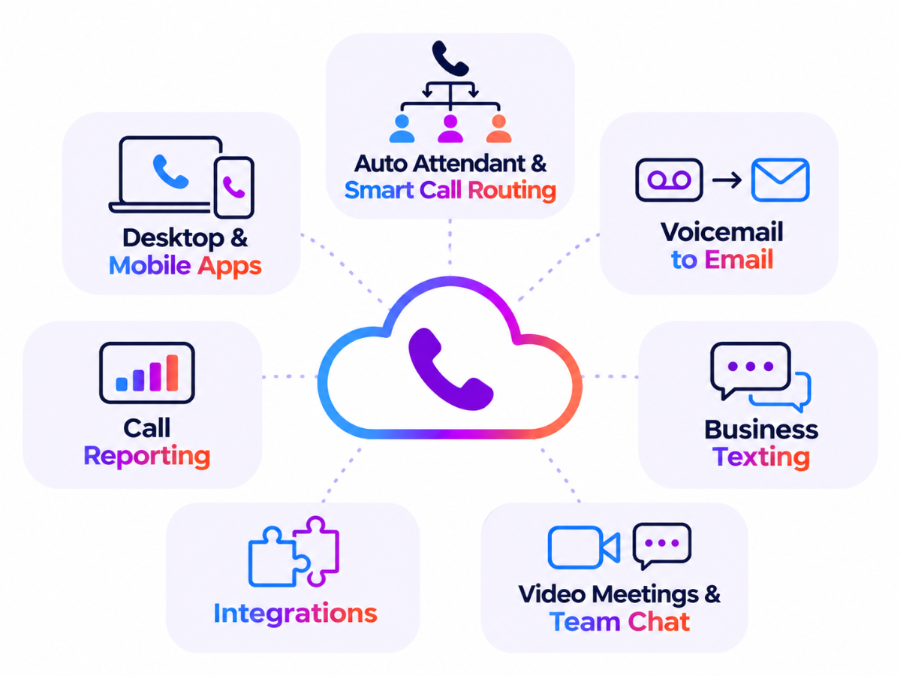
Alt text: cloud-based business phone system must have features
Not every provider offers the same tools. Before you compare plans, make sure the system covers the basics your team will use every day.
The newest feature on the list is also one of the most useful. AI voice agents can answer calls 24x7, respond to common questions, take messages and send urgent calls to a real person. This kind of tool is going mainstream fast. McKinsey's 2025 State of AI survey found that 88% of organizations now use AI in at least one business function, with contact center and customer service automation among the most commonly reported uses. For a small team, intelligent automation like this means you never miss an important call, even after hours.
Whether you run a five-person shop or manage IT across several sites, the selection process looks much the same. Work through these steps before you sign anything.
Extra checks for healthcare and legal teams
If you manage a medical, dental or law practice, you handle sensitive information on almost every call. Ask how the provider protects voicemail, call recordings and text messages, and how it supports your privacy obligations, including HIPAA for healthcare. Features like after-hours AI answering and appointment reminder texts can also take real pressure off a busy front desk.
At ringfusion, we build AI-powered business phone systems that fit the way your team already works. Instead of forcing one platform on every customer, we match the setup to your business, from small business to enterprise.
For most businesses, the starting point is Genisis Cloud Voice, our cloud PBX phone system. It gives you smart call routing, apps for every device and the flexibility to grow from one site to many. If your team already works in Microsoft Teams or Webex, Cloud Voice for Microsoft Teams and Webex Calling bring business calling straight into those apps.
Not ready to retire your current hardware? SIP Trunking connects your existing PBX to the cloud. (SIP, or Session Initiation Protocol, is the standard that carries voice calls over the internet.) You can then add Business SMS Messaging and Webex Meetings so texting and video live alongside your calls.
Our AI Agent that answer calls 24x7 handles routine questions and passes urgent calls to your team, so callers always get a response. And if you're a growing team, our small business phone system lets you start with what you need and scale on demand.
Behind it all, our customers count on 99.98% uptime availability and 24x7x365 live phone technical support. We've successfully onboarded more than 200 customers, and on average they save 30% compared with their previous carrier.
Frequently Asked Questions About Cloud Business Phone Systems
Are cloud based business phone systems reliable?
Yes, when you choose the right provider. Because the system lives online, your team can keep taking calls on mobile apps even if your office loses power or internet. Ask every provider for their uptime record. Customers on the ringfusion platform see 99.98% uptime availability.
How much does a cloud based phone system for small business cost?
Most providers charge a monthly fee per user, and the price depends on the features you need, such as AI answering, texting or video meetings. Compare the total cost, including hardware and setup, against what you pay now. On average, ringfusion customers save 30% compared with their previous carrier.
Can I keep my number when I switch to a cloud-based business phone system?
In most cases, yes. A process called number porting moves your existing numbers to your new provider, so customers keep calling the number they already know. Ask your provider how long porting takes and how they keep calls flowing during the switch.